
Blog

  • Weight Loss Guide: How to Lose Weight Naturally and Safely

    Weight Loss Guide: How to Lose Weight Naturally and Safely

    If you’re looking for a practical weight loss guide, the good news is that you don’t need crash diets, expensive supplements, or extreme workout routines to achieve lasting results. The safest and most effective way to lose weight is by creating healthy habits that you can maintain over time.

    Successful weight loss comes from eating a balanced diet, staying physically active, getting enough sleep, managing stress, and maintaining a modest calorie deficit. While results vary from person to person, losing around 0.5–1 kg (1–2 pounds) per week is generally considered a safe and sustainable pace for most adults.

    This guide explains the science behind weight loss, provides actionable tips, highlights common mistakes to avoid, and helps you build healthy habits for long-term success.

    Understanding Healthy Weight Loss

    Weight loss occurs when your body consistently uses more energy (calories) than it consumes. This is known as a calorie deficit. While the concept is straightforward, maintaining a healthy deficit requires balanced nutrition, regular movement, and sustainable habits.

    Healthy weight loss focuses on reducing body fat while preserving muscle mass. Quick-fix diets may lead to rapid weight loss initially, but they are often difficult to maintain and can increase the likelihood of regaining weight.

    Why People Gain Weight

    Weight gain usually results from a combination of factors rather than a single cause.

    Common contributors include:

    • Consuming more calories than the body uses
    • Sedentary lifestyle
    • Poor sleep habits
    • High intake of processed foods
    • Frequent sugary drinks
    • Emotional eating
    • Chronic stress
    • Certain medications
    • Hormonal or medical conditions

    If you’re gaining weight unexpectedly or struggling to lose weight despite healthy habits, consult a healthcare professional to rule out underlying medical conditions.

    How Weight Loss Works

    A calorie deficit can be achieved by:

    1. Eating fewer calories.
    2. Increasing physical activity.
    3. Combining both approaches.

    The most sustainable plans prioritize nutrient-dense foods instead of severe calorie restriction.

    Weight Loss Guide: Step-by-Step Plan

    Step 1: Set Realistic Goals

    Instead of focusing only on the number on the scale, set goals like:

    • Walking 8,000–10,000 steps daily
    • Exercising four times per week
    • Drinking more water
    • Cooking healthy meals at home

    Behavior-based goals are easier to maintain than weight-based goals alone.

    Step 2: Improve Your Diet

    A balanced diet should include:

    • Lean protein
    • Whole grains
    • Fruits
    • Vegetables
    • Healthy fats
    • Fiber-rich foods

    Aim to fill half your plate with vegetables at most meals.

    Step 3: Prioritize Protein

    Protein helps:

    • Increase fullness
    • Preserve muscle during weight loss
    • Support recovery after exercise

    Good protein sources include:

    • Eggs
    • Fish
    • Chicken
    • Lentils
    • Beans
    • Greek yogurt
    • Tofu

    Step 4: Eat More Fiber

    Fiber slows digestion and promotes fullness.

    High-fiber foods include:

    • Oats
    • Apples
    • Berries
    • Broccoli
    • Beans
    • Whole grains
    • Chia seeds

    Step 5: Drink Enough Water

    Hydration supports overall health and may help reduce unnecessary snacking when thirst is mistaken for hunger.

    Replacing sugary drinks with water can also reduce calorie intake.

    Step 6: Exercise Regularly

    A balanced routine includes both cardiovascular exercise and strength training.

    Cardio Options

    • Walking
    • Cycling
    • Swimming
    • Jogging
    • Dancing

    Strength Training

    Building muscle helps maintain metabolism during weight loss.

    Examples include:

    • Bodyweight exercises
    • Resistance bands
    • Dumbbells
    • Weight machines

    Aim for at least two strength-training sessions each week.

    Step 7: Sleep Well

    Adults generally benefit from 7–9 hours of quality sleep each night.

    Poor sleep can affect hunger hormones and make healthy choices more difficult.

    Step 8: Manage Stress

    Long-term stress may contribute to emotional eating and unhealthy habits.

    Helpful stress-management techniques include:

    • Meditation
    • Deep breathing
    • Walking outdoors
    • Reading
    • Yoga
    • Spending time with friends and family

    Best Foods for Healthy Weight Loss

    Food Group Examples Benefits
    Lean Protein Chicken, Fish, Eggs Supports muscle and fullness
    Vegetables Spinach, Broccoli, Carrots Low in calories, high in nutrients
    Fruits Apples, Berries, Oranges Rich in fiber and vitamins
    Whole Grains Brown Rice, Oats, Quinoa Sustained energy
    Healthy Fats Avocados, Nuts, Olive Oil Supports overall health
    Legumes Lentils, Chickpeas, Beans Protein and fiber

    A varied diet provides essential nutrients and supports long-term health.

    Foods to Limit

    You don’t need to eliminate favorite foods completely, but limiting these can help reduce excess calorie intake:

    • Sugary beverages
    • Candy
    • Fried foods
    • Processed snacks
    • Fast food
    • Refined pastries
    • Excess alcohol
    • Highly processed desserts

    Moderation is generally more sustainable than strict restriction.

    Exercise for Fat Loss

    An effective weekly routine might include:

    Day Activity
    Monday Strength Training
    Tuesday Brisk Walking
    Wednesday Cycling or Swimming
    Thursday Strength Training
    Friday Walking
    Saturday Light Cardio or Hiking
    Sunday Rest or Stretching

    Consistency matters more than perfection.

    Lifestyle Habits That Support Weight Loss

    Healthy habits make long-term success more likely.

    Consider:

    • Meal planning
    • Grocery shopping with a list
    • Cooking at home more often
    • Limiting late-night snacking
    • Eating slowly
    • Practicing mindful eating
    • Reducing screen time during meals

    Small improvements can add up over time.

    Should You Use Supplements?

    Many supplements claim to promote rapid weight loss, but evidence varies, and some products may have side effects.

    Before taking any weight-loss supplement, discuss it with a qualified healthcare professional, especially if you have existing medical conditions or take prescription medications.

    Tracking Your Progress

    Weight isn’t the only measure of success.

    Also track:

    • Waist circumference
    • Energy levels
    • Fitness improvements
    • Strength gains
    • Clothing fit
    • Healthy habits maintained

    Progress photos taken under similar conditions can also help you notice gradual changes.

    Pro Tips

    1. Focus on consistency rather than perfection.
    2. Include protein in every meal.
    3. Stay hydrated throughout the day.
    4. Prioritize vegetables at lunch and dinner.
    5. Strength train at least twice weekly.
    6. Walk more whenever possible.
    7. Plan meals in advance.
    8. Read nutrition labels.
    9. Celebrate non-scale victories.
    10. Be patient—lasting change takes time.

    Common Mistakes to Avoid

    1. Following extreme crash diets.
    2. Skipping meals regularly.
    3. Drinking sugary beverages daily.
    4. Ignoring portion sizes.
    5. Not getting enough sleep.
    6. Avoiding strength training.
    7. Expecting rapid results.
    8. Comparing yourself to others.
    9. Giving up after small setbacks.
    10. Relying solely on supplements.

    Frequently Asked Questions

    1. What is the safest rate of weight loss?

    For most adults, losing around 0.5–1 kg (1–2 pounds) per week is considered safe and sustainable. Individual recommendations may vary based on health status.

    2. Do I need to stop eating carbohydrates?

    No. Whole grains, fruits, vegetables, and legumes are valuable sources of carbohydrates and important nutrients.

    3. Is walking enough to lose weight?

    Walking can contribute to weight loss when combined with a balanced diet and a calorie deficit. Adding strength training provides additional benefits.

    4. Can I lose weight without exercising?

    Weight loss is possible through dietary changes alone, but exercise supports overall health, preserves muscle, and improves fitness.

    5. Are cheat meals okay?

    Occasional treats can fit into a balanced eating pattern. The overall quality of your diet matters more than a single meal.

    6. Should I count calories?

    Some people find calorie tracking helpful, while others prefer focusing on portion control and healthier food choices. Choose the approach that works best for you.

    7. Why has my weight loss stalled?

    Weight-loss plateaus are common. Reviewing your calorie intake, physical activity, sleep, and consistency may help identify areas for adjustment.

    8. Do weight-loss supplements work?

    Some supplements may have limited evidence, but none replace healthy eating and regular physical activity. Speak with a healthcare professional before using them.

    9. How important is sleep?

    Sleep is essential. Poor sleep can affect appetite, energy levels, and decision-making, making weight management more challenging.

    10. When should I see a doctor?

    Consult a healthcare professional if you experience unexplained weight changes, have significant medical conditions, or need personalized guidance for weight management.

    Conclusion

    This weight loss guide demonstrates that lasting results come from healthy habits rather than quick fixes. By eating nutritious foods, staying active, getting enough sleep, managing stress, and maintaining a sustainable calorie deficit, you can lose weight safely while improving your overall health.

    Remember that progress looks different for everyone. Focus on consistency, celebrate small achievements, and avoid comparing your journey to others. If you have underlying medical conditions or need personalized advice, seek guidance from a qualified healthcare professional or registered dietitian.
  • Build a Professional Website Without Coding

    Build a Professional Website Without Coding

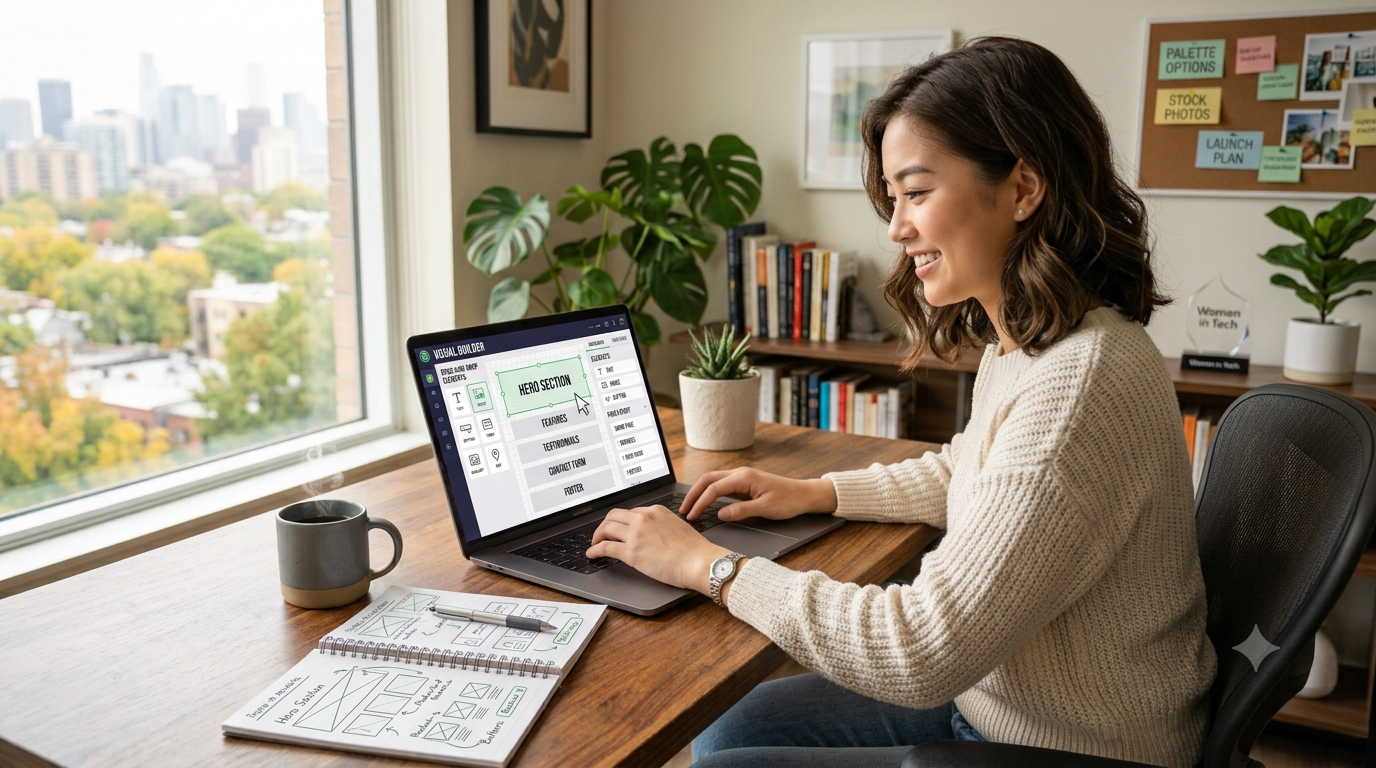
    If you’ve ever wanted to build website projects for your business, portfolio, blog, or online store but felt intimidated by coding, you’re not alone. The good news is that modern website builders and content management systems make it possible for anyone to create a professional-looking website without writing a single line of code.

    Today, you can design responsive pages, add contact forms, optimize for search engines, and even launch an online store using drag-and-drop tools. This guide explains everything you need to know—from choosing the right platform and domain name to publishing your website and improving its visibility on Google.

    Whether you’re starting your first website or upgrading an existing one, this step-by-step guide will help you build a website that looks professional and performs well.

    Why You No Longer Need Coding Skills

    Years ago, creating a website required knowledge of HTML, CSS, JavaScript, and server management. Today, website builders handle most of the technical work behind the scenes.

    Popular no-code platforms offer:

    • Drag-and-drop editors
    • Ready-made templates
    • Mobile-responsive layouts
    • Built-in SEO tools
    • Contact forms
    • Blogging features
    • E-commerce functionality

    This means beginners can create professional websites in just a few hours instead of weeks.

    Benefits of Building Your Own Website

    Creating your own website offers several advantages.

    Full Control

    You decide how your website looks and functions.

    Lower Costs

    Hiring a developer can be expensive. No-code tools reduce development costs significantly.

    Faster Updates

    Need to change text or images? You can do it yourself in minutes.

    Better Branding

    Your website becomes your online identity and helps build trust with visitors.

    Business Growth

    A professional website allows customers to find your products or services 24/7.

    Choosing the Right Website Platform

    Different platforms suit different needs.

    Platform Best For Difficulty Cost
    WordPress Blogs, Business Websites Easy Low
    Blogger Personal Blogs Very Easy Free
    Wix Small Businesses Easy Medium
    Squarespace Portfolio Websites Easy Medium
    Shopify Online Stores Easy Medium
    Webflow Designers Medium Medium

    Choose a platform based on your goals rather than popularity alone.

    How to Build Website Without Coding

    Step 1: Define Your Website Goal

    Ask yourself:

    • Is it a business website?
    • A personal portfolio?
    • A blog?
    • An online store?
    • A landing page?

    Knowing your objective makes every later decision easier.

    Step 2: Choose a Domain Name

    A good domain name should be:

    • Short
    • Easy to spell
    • Memorable
    • Brandable
    • Relevant to your niche

    Avoid unnecessary numbers and hyphens whenever possible.

    Step 3: Purchase Web Hosting

    Hosting stores your website files and makes them available online.

    Look for hosting that offers:

    • Fast loading speeds
    • Free SSL certificate
    • Daily backups
    • Reliable customer support
    • High uptime

    Step 4: Install Your Website Platform

    Many hosting providers offer one-click installation for popular website builders.

    Within minutes, your website is ready for customization.

    Step 5: Select a Professional Theme

    Choose a clean, responsive design that matches your brand.

    Look for themes with:

    • Mobile optimization
    • Fast performance
    • Accessibility features
    • SEO-friendly structure
    • Regular updates

    Simple designs usually perform better than overly complex layouts.

    Step 6: Customize Your Website

    Replace the default content with your own.

    Update:

    • Logo
    • Brand colors
    • Typography
    • Images
    • Navigation menu
    • Footer
    • Contact details

    Maintain consistent branding across every page.

    Step 7: Create Essential Pages

    Every professional website should include:

    Home Page

    Introduce your business and explain how you help visitors.

    About Page

    Share your story, mission, and expertise.

    Services or Products

    Clearly explain what you offer.

    Contact Page

    Include:

    • Contact form
    • Email address
    • Phone number (if applicable)
    • Business hours

    Privacy Policy

    Explain how user information is collected and used.

    Terms and Conditions

    Define the rules for using your website.

    Disclaimer

    Clarify limitations of your content or services where appropriate.

    Step 8: Add High-Quality Images

    Use original or licensed images.

    Optimize images by:

    • Compressing file sizes
    • Writing descriptive file names
    • Adding ALT text
    • Choosing appropriate dimensions

    Optimized images improve loading speed and accessibility.

    Step 9: Optimize for Mobile Devices

    Most visitors browse on smartphones.

    Test:

    • Navigation
    • Buttons
    • Fonts
    • Images
    • Forms

    A mobile-friendly website improves user experience and search rankings.

    Step 10: Publish Your Website

    Before launching, double-check:

    • Links
    • Grammar
    • Contact forms
    • Mobile responsiveness
    • Loading speed
    • SEO settings

    Once everything looks good, publish your website.

    Website Design Best Practices

    A professional design focuses on usability.

    Follow these guidelines:

    • Keep navigation simple.
    • Use readable fonts.
    • Maintain consistent colors.
    • Leave enough white space.
    • Use clear headings.
    • Add call-to-action buttons.
    • Limit unnecessary animations.
    • Make important information easy to find.

    Remember that clarity is more important than complexity.

    SEO Basics for Beginners

    Creating a website is only the first step. People also need to find it.

    Keyword Research

    Identify words your audience searches for.

    Optimized Titles

    Write descriptive page titles containing relevant keywords.

    Meta Descriptions

    Encourage users to click by summarizing each page clearly.

    Internal Links

    Connect related pages to improve navigation and SEO.

    Fast Loading Speed

    Compress images and avoid unnecessary plugins.

    Quality Content

    Answer visitors’ questions thoroughly and accurately.

    Website Security and Maintenance

    Protect your website by following these practices.

    • Use strong passwords.
    • Enable SSL encryption.
    • Update themes and plugins regularly.
    • Create backups.
    • Monitor website performance.
    • Remove unused plugins.
    • Install security tools when available.

    Regular maintenance keeps your website secure and reliable.

    Helpful Website Building Tools

    Purpose Recommended Tools
    Website Builder WordPress, Wix, Blogger
    Design Canva
    Image Compression TinyPNG
    Analytics Google Analytics
    Search Performance Google Search Console
    Email Marketing Mailchimp
    Forms Google Forms
    Project Planning Notion

    Choose tools that genuinely improve your workflow rather than installing everything available.

    Pro Tips

    1. Start with a simple layout.
    2. Use high-quality original images.
    3. Keep navigation easy to understand.
    4. Optimize every page for mobile users.
    5. Write clear calls to action.
    6. Compress images before uploading.
    7. Publish helpful blog content regularly.
    8. Monitor website performance monthly.
    9. Keep software updated.
    10. Continuously improve based on visitor feedback.

    Common Mistakes to Avoid

    1. Choosing a confusing domain name.
    2. Using too many fonts.
    3. Overloading pages with animations.
    4. Ignoring mobile users.
    5. Publishing without proofreading.
    6. Forgetting contact information.
    7. Using low-quality images.
    8. Ignoring SEO basics.
    9. Installing unnecessary plugins.
    10. Never updating the website after launch.

    Frequently Asked Questions

    1. Can I really build a professional website without coding?

    Yes. Modern website builders provide drag-and-drop tools that allow beginners to create attractive and functional websites without programming knowledge.

    2. Which website builder is best for beginners?

    It depends on your goals. Blogger is simple for blogging, WordPress offers flexibility, Wix emphasizes ease of use, and Shopify is designed for online stores.

    3. How much does a website cost?

    Costs vary depending on your domain, hosting, premium themes, and optional tools. Basic websites can be launched with a relatively small budget.

    4. Do I need web hosting?

    Most self-hosted platforms require hosting, while some website builders include hosting in their plans.

    5. Can I build an online store without coding?

    Yes. Many e-commerce platforms allow you to manage products, payments, and orders without writing code.

    6. Is SEO important for a new website?

    Yes. SEO helps search engines understand your content and increases your chances of attracting organic traffic.

    7. How long does it take to build a website?

    A simple website can often be completed in a day, while larger websites may take several weeks depending on the amount of content and customization.

    8. Can I edit my website later?

    Absolutely. One of the biggest advantages of no-code platforms is that updates can be made easily whenever needed.

    9. Is a website better than social media?

    A website gives you full control over your content and branding, while social media platforms are valuable for marketing and audience engagement. Using both together is often the best approach.

    10. Do I need professional design skills?

    No. Most modern templates are professionally designed, allowing beginners to create attractive websites with minimal design experience.

    Conclusion

    Learning how to build website projects without coding is easier than ever. Thanks to modern website builders and user-friendly tools, anyone can create a professional website for a business, portfolio, blog, or online store. The key is to choose the right platform, focus on user experience, publish valuable content, and maintain your website regularly.

    Don’t wait until everything feels perfect. Start with a simple, well-structured website, improve it over time, and keep learning. A professional website can become one of your most valuable digital assets, helping you build credibility, attract visitors, and achieve your personal or business goals.

  • How to Make Money Online for Beginners: A Complete Guide

    How to Make Money Online for Beginners: A Complete Guide

    The internet has created more opportunities than ever before to make money online. Whether you want to earn extra income, replace your full-time job, or build a long-term online business, there are legitimate ways to get started with little or no upfront investment.

    The best way to make money online depends on your skills, interests, and the amount of time you can dedicate. Popular options include freelancing, blogging, affiliate marketing, selling digital products, online tutoring, content creation, and e-commerce. While none of these methods provide instant riches, they can become reliable income sources with consistent effort.

    In this guide, you’ll learn the most effective ways to make money online, how to choose the right path, avoid common scams, and build sustainable income over time.

    Why More People Are Choosing to Make Money Online

    Working online offers flexibility and access to a global market. Instead of relying on local job opportunities, you can offer products or services to customers worldwide.

    Some of the biggest advantages include:

    • Flexible working hours
    • Low startup costs
    • Ability to work from home
    • Unlimited growth potential
    • Multiple income streams
    • Opportunity to build passive income

    While the opportunities are real, success requires patience, learning, and consistent effort.

    How to Choose the Right Way to Make Money Online

    Not every online income method is suitable for everyone. Before getting started, ask yourself these questions:

    • What skills do I already have?
    • How much time can I invest each week?
    • Do I want active or passive income?
    • Am I comfortable learning new technologies?
    • How much money can I invest initially?

    Choosing a method that matches your strengths increases your chances of long-term success.

    Best Ways to Make Money Online for Beginners

    1. Freelancing

    Freelancing is one of the fastest ways to earn money online because you exchange your skills for payment.

    Popular freelance services include:

    • Graphic design
    • Website development
    • Content writing
    • Video editing
    • Digital marketing
    • Translation
    • Virtual assistance
    • Data entry

    Pros

    • Low startup cost
    • Quick earning potential
    • Flexible schedule

    Cons

    • Income depends on finding clients
    • Requires ongoing client communication

    2. Start a Blog

    Blogging remains one of the most scalable online business models.

    You can monetize a blog through:

    • Display advertising
    • Affiliate marketing
    • Sponsored content
    • Digital products
    • Online courses
    • Consulting services

    Choose a niche you enjoy and create content that solves real problems for readers.

    3. Affiliate Marketing

    Affiliate marketing involves promoting products or services and earning a commission for successful referrals.

    Popular niches include:

    • Technology
    • Finance
    • Fitness
    • Travel
    • Software
    • Education
    • Home improvement

    Success comes from recommending products you genuinely believe will help your audience.

    4. Sell Digital Products

    Digital products are created once and sold repeatedly.

    Examples include:

    • eBooks
    • Printable planners
    • Templates
    • Photography presets
    • Stock photos
    • Design assets
    • Online courses
    • Software

    Because there is no physical inventory, profit margins can be high.

    5. Create a YouTube Channel

    Video content continues to grow in popularity.

    You can earn through:

    • Advertising revenue
    • Affiliate links
    • Sponsorships
    • Channel memberships
    • Merchandise

    Focus on educational or entertaining content that consistently delivers value.

    6. Print-on-Demand

    Print-on-demand allows you to sell custom-designed products without managing inventory.

    Popular products include:

    • T-shirts
    • Hoodies
    • Mugs
    • Phone cases
    • Tote bags
    • Posters

    A supplier prints and ships products after customers place orders.

    7. Dropshipping

    Dropshipping lets you operate an online store without storing inventory.

    When customers purchase products, suppliers ship them directly.

    While startup costs are relatively low, success depends heavily on marketing and customer service.

    8. Online Tutoring

    If you’re knowledgeable in a subject, online tutoring can be rewarding.

    Popular topics include:

    • Mathematics
    • English
    • Science
    • Programming
    • Music
    • Business
    • Language learning

    Students from around the world seek qualified tutors online.

    9. Sell Handmade Products

    Creative individuals can sell:

    • Jewelry
    • Crafts
    • Artwork
    • Candles
    • Home décor
    • Personalized gifts

    Unique products often attract loyal customers.

    10. Become a Content Creator

    Content creators earn through multiple income streams.

    Platforms include:

    • Blogs
    • YouTube
    • Podcasts
    • Social media

    Revenue sources include:

    • Ads
    • Sponsorships
    • Affiliate marketing
    • Merchandise
    • Memberships

    Diversifying income reduces dependence on any single platform.

    Comparison of Popular Online Income Methods

    Method Startup Cost Time to First Income Long-Term Potential
    Freelancing Low Fast Medium
    Blogging Low Slow High
    Affiliate Marketing Low Medium High
    YouTube Low Slow High
    Digital Products Low Medium Very High
    Online Tutoring Low Fast Medium
    Dropshipping Medium Medium High
    Print-on-Demand Low Medium High

    Skills That Help You Make More Money Online

    Developing valuable skills increases your earning potential.

    High-demand skills include:

    • SEO
    • Copywriting
    • Graphic design
    • Web development
    • Email marketing
    • Video editing
    • Social media management
    • AI-assisted productivity
    • Project management
    • Data analysis

    Investing time in learning these skills can significantly improve your long-term income.

    Build Your Online Presence

    People are more likely to trust professionals with a strong online presence.

    Consider creating:

    • A professional website
    • Portfolio
    • LinkedIn profile
    • Social media accounts
    • Email newsletter

    Showcase your work, customer testimonials, and expertise to build credibility.

    Learn Basic SEO

    Search engine optimization helps people discover your content through search engines.

    Focus on:

    Keyword Research

    Understand what your audience is searching for.

    High-Quality Content

    Answer questions clearly and provide practical value.

    Internal Linking

    Connect related articles to improve navigation and SEO.

    Website Speed

    A fast website improves user experience and search rankings.

    Diversify Your Income

    Avoid relying on a single source of income.

    For example:

    • Freelancing
    • Blogging
    • Affiliate marketing
    • Selling templates
    • YouTube
    • Email marketing

    Multiple income streams provide greater financial stability.

    Stay Safe Online

    Unfortunately, scams are common.

    Avoid opportunities that:

    • Promise guaranteed riches
    • Require large upfront payments
    • Pressure you to act immediately
    • Lack transparent business information
    • Ask for sensitive financial details unnecessarily

    Research companies before investing time or money.

    Manage Your Earnings

    Treat your online income like a real business.

    Track:

    • Revenue
    • Expenses
    • Taxes
    • Profit
    • Savings

    Consider consulting a qualified accountant regarding tax obligations in your country.

    Pro Tips

    1. Choose one method and master it before adding others.
    2. Build valuable skills instead of chasing shortcuts.
    3. Create helpful content consistently.
    4. Learn basic SEO to attract free traffic.
    5. Build an email list from the beginning.
    6. Focus on solving customer problems.
    7. Track your progress monthly.
    8. Keep learning through books and courses.
    9. Reinvest part of your earnings into your business.
    10. Stay patient—online success often takes time.

    Common Mistakes to Avoid

    1. Expecting overnight success.
    2. Falling for online scams.
    3. Ignoring customer feedback.
    4. Quitting too early.
    5. Not learning new skills.
    6. Copying competitors without adding value.
    7. Neglecting SEO.
    8. Spending too much on unnecessary software.
    9. Relying on only one income source.
    10. Failing to manage finances properly.

    Frequently Asked Questions

    1. Can beginners really make money online?

    Yes. Many beginners start with freelancing, blogging, affiliate marketing, or online tutoring. Success depends on consistency and continuous learning.

    2. How much money can I earn?

    Income varies widely depending on your skills, business model, experience, and effort. Some people earn side income, while others build full-time businesses.

    3. Do I need money to start?

    Many online income methods require very little upfront investment, especially freelancing and blogging.

    4. How long does it take to earn money?

    Freelancing may generate income quickly, while blogging and affiliate marketing often take several months to build momentum.

    5. Which online business is best for beginners?

    Freelancing, blogging, affiliate marketing, and selling digital products are among the most beginner-friendly options.

    6. Is affiliate marketing free to start?

    It can be. Many affiliate programs are free to join, though creating a website or marketing content may involve some costs.

    7. Do I need technical skills?

    Not necessarily. Many platforms offer beginner-friendly tools, and technical skills can be learned gradually.

    8. Can I work part-time?

    Yes. Many successful online entrepreneurs begin while working full-time jobs or attending school.

    9. Is making money online legal?

    Yes, provided you follow the laws, tax regulations, and platform policies applicable in your country.

    10. What is the biggest secret to success?

    Consistency. Publishing quality work, improving your skills, and helping people over time produces better results than chasing quick-money schemes.

    Conclusion

    Learning to make money online is a journey rather than a one-time event. There is no universal shortcut, but there are many legitimate opportunities available for beginners willing to learn and stay consistent. Whether you choose freelancing, blogging, affiliate marketing, digital products, or content creation, focus on providing genuine value and building trust with your audience.

    Start with one method, improve your skills, track your progress, and be patient. Small, consistent actions can grow into meaningful online income over time. The best day to begin is today.

  • How to Start an Online Business from Home: A Complete Beginner’s Guide

    How to Start an Online Business from Home: A Complete Beginner’s Guide

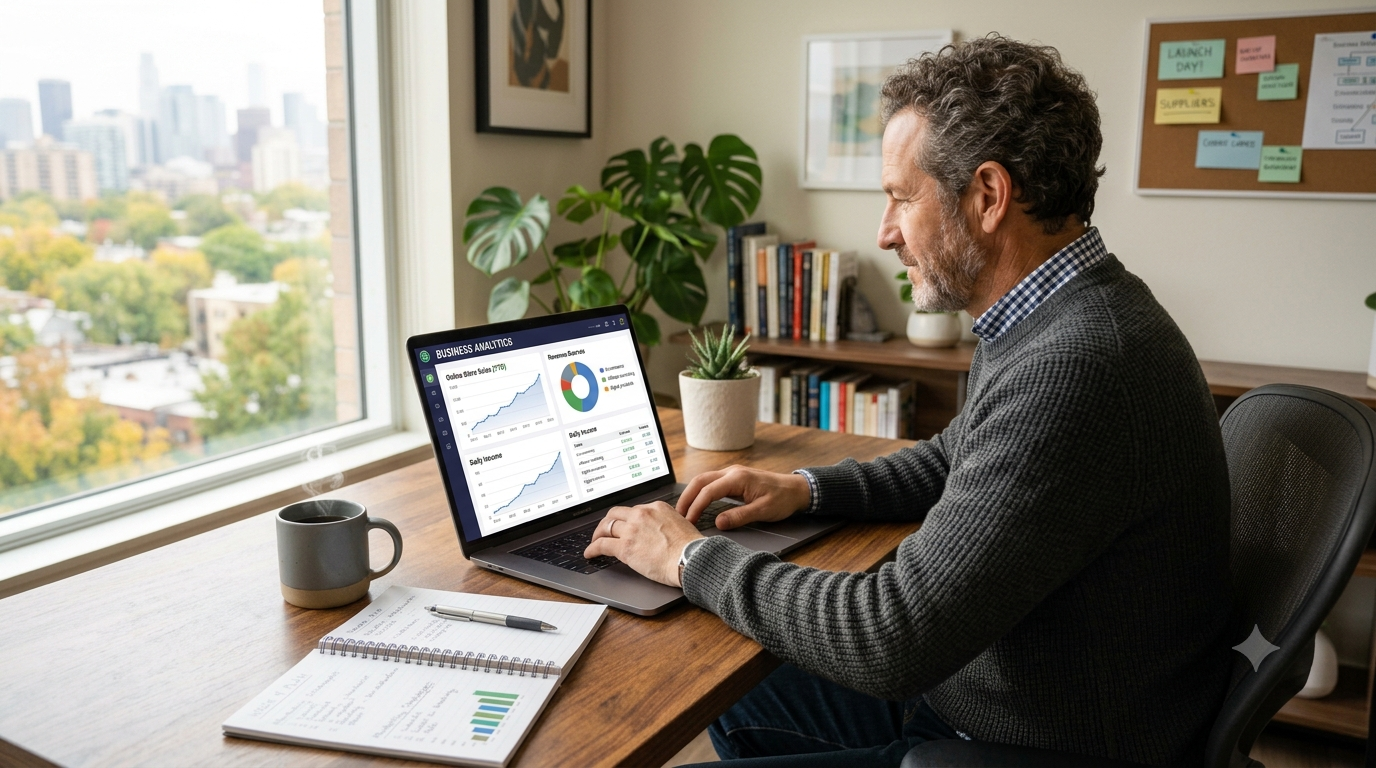
    Starting an online business from home has never been more accessible. With a laptop, an internet connection, and the right strategy, anyone can build a business that generates income while enjoying the flexibility of working from anywhere.

    Whether you want to earn extra income, replace your full-time job, or create a scalable company, this guide walks you through every important step. You’ll learn how to choose a profitable business model, validate your idea, build a website, attract customers, and grow sustainably.

    By the end of this article, you’ll have a clear roadmap to launch your online business with confidence.

    What Is an Online Business?

    An online business is any business that primarily operates through the internet. Products or services are marketed, sold, and often delivered online.

    Examples include:

    • Freelance services
    • Blogging
    • Affiliate marketing
    • Dropshipping
    • Print-on-demand
    • Online coaching
    • Digital products
    • Software as a Service (SaaS)
    • E-commerce stores
    • Membership websites

    Unlike traditional businesses, many online businesses require relatively low startup costs and can be managed from home.

    Why Start an Online Business from Home?

    Starting from home offers several advantages.

    Lower Startup Costs

    You don’t need expensive office space or large inventories.

    Flexible Schedule

    You decide when and where you work.

    Global Reach

    Customers can come from almost any country.

    Unlimited Growth

    Unlike local businesses, online businesses can scale without opening new physical locations.

    Multiple Income Streams

    Many entrepreneurs combine services, products, advertising, and affiliate income.

    Choose the Right Online Business Idea

    Your business should match your skills, interests, and market demand.

    Popular Online Business Ideas

    Business Model Startup Cost Difficulty Scalability
    Blogging Low Medium High
    Affiliate Marketing Low Medium High
    Freelancing Very Low Easy Medium
    E-commerce Medium Medium High
    Dropshipping Low Medium High
    Print-on-Demand Low Easy Medium
    Online Courses Low Medium High
    Digital Products Low Medium Very High
    Consulting Very Low Medium High
    YouTube Channel Low Medium High

    Ask Yourself

    • What skills do I already have?
    • What problems can I solve?
    • Is there demand?
    • Can people pay for it?
    • Can it grow over time?

    Validate Your Business Idea

    Many people skip validation and waste months building something nobody wants.

    Instead:

    Research Search Demand

    Use tools like:

    • Google Search
    • Google Trends
    • Keyword research tools
    • Online forums
    • Reddit communities

    Look for questions people ask repeatedly.

    Analyze Competitors

    Study:

    • Their pricing
    • Website
    • Customer reviews
    • Content
    • Social media

    Don’t copy them.

    Instead, identify gaps you can fill.

    Test Before Building

    Examples include:

    • Landing page
    • Waitlist
    • Small advertising campaign
    • Social media polls
    • Free consultations

    Validation saves both time and money.

    Create a Business Plan

    A business plan doesn’t have to be complicated.

    Include:

    Your Target Audience

    Who will buy?

    Example:

    • Students
    • Parents
    • Small businesses
    • Freelancers
    • Fitness enthusiasts

    Revenue Model

    How will you earn money?

    Examples:

    • Product sales
    • Service fees
    • Memberships
    • Affiliate commissions
    • Advertising
    • Sponsorships

    Marketing Plan

    How will customers find you?

    Examples:

    • SEO
    • Social media
    • Email marketing
    • YouTube
    • Paid advertising

    Register Your Business

    Requirements vary by country.

    Common steps include:

    • Register your business name
    • Obtain necessary licenses
    • Understand tax obligations
    • Open a business bank account
    • Keep financial records

    If you’re unsure about legal requirements, consult a qualified accountant or business advisor in your country.

    Build Your Online Presence

    Your website is your digital storefront.

    Buy a Domain Name

    Choose something:

    • Short
    • Easy to remember
    • Easy to spell
    • Brandable

    Example:

    yourbusiness.com

    Choose Hosting

    Reliable hosting improves:

    • Speed
    • Security
    • SEO
    • User experience

    Build Your Website

    Essential pages include:

    • Home
    • About
    • Services
    • Contact
    • Blog
    • Privacy Policy
    • Terms
    • Disclaimer

    A clean, mobile-friendly design builds trust.

    Create Valuable Content

    Content attracts visitors through search engines.

    Examples include:

    • Tutorials
    • Guides
    • Reviews
    • Case studies
    • Checklists
    • Industry news

    Focus on solving real problems instead of publishing content just to increase word count.

    Learn Basic SEO

    Search Engine Optimization helps people discover your website.

    Important SEO basics include:

    Keyword Research

    Understand what your audience searches for.

    On-Page SEO

    Optimize:

    • Titles
    • Meta descriptions
    • Headings
    • Images
    • URLs

    Internal Linking

    Connect related articles.

    This improves user experience and helps search engines understand your website.

    Backlinks

    High-quality websites linking to yours improve authority over time.

    Build an Email List

    Social media algorithms change.

    Your email list belongs to you.

    Offer something valuable:

    • Free guide
    • Checklist
    • Template
    • Mini course
    • Discount

    Email marketing consistently delivers one of the highest returns on investment for many online businesses.

    Market Your Business

    Creating a website isn’t enough.

    People need to find it.

    Search Engine Optimization

    Organic traffic compounds over time.

    Social Media

    Choose platforms where your audience spends time.

    Examples:

    • Facebook
    • Instagram
    • LinkedIn
    • Pinterest
    • X
    • TikTok

    Don’t try to master every platform immediately.

    Focus on one or two.

    YouTube

    Video content builds trust quickly.

    Tutorials perform especially well.

    Paid Advertising

    Paid ads can accelerate growth but require careful budgeting and testing.

    Start small and measure results.

    Deliver Excellent Customer Service

    Happy customers become repeat customers.

    Respond quickly.

    Be transparent.

    Solve problems professionally.

    Ask for feedback.

    Positive reviews improve credibility.

    Track Important Metrics

    Successful businesses rely on data.

    Monitor:

    • Website traffic
    • Conversion rate
    • Bounce rate
    • Revenue
    • Customer acquisition cost
    • Email subscribers
    • Customer lifetime value

    Review your performance regularly and adjust your strategy based on what works.

    Manage Your Finances

    Separate business and personal finances.

    Track:

    • Income
    • Expenses
    • Taxes
    • Profit
    • Cash flow

    Accounting software can simplify financial management.

    Scale Your Online Business

    Growth doesn’t happen by accident.

    Scale through:

    • Better SEO
    • New products
    • Email automation
    • Hiring freelancers
    • Outsourcing repetitive work
    • Expanding internationally
    • Creating digital products
    • Building recurring revenue

    Essential Tools

    Purpose Examples
    Website WordPress, Blogger
    E-commerce Shopify, WooCommerce
    Design Canva, Adobe Express
    SEO Google Search Console, Google Analytics
    Email Marketing Mailchimp, ConvertKit
    Scheduling Buffer
    Project Management Trello, Notion
    Communication Zoom, Google Meet

    Choose tools based on your needs rather than using every available option.

    Pro Tips

    1. Start before everything feels perfect.
    2. Solve real customer problems.
    3. Focus on one niche initially.
    4. Publish high-quality content consistently.
    5. Build an email list from day one.
    6. Learn basic SEO.
    7. Invest in improving your skills.
    8. Track data instead of guessing.
    9. Listen to customer feedback.
    10. Be patient—organic growth takes time.

    Common Mistakes to Avoid

    1. Choosing a niche with no demand.
    2. Ignoring keyword research.
    3. Copying competitors.
    4. Expecting instant profits.
    5. Neglecting mobile optimization.
    6. Publishing low-quality content.
    7. Not collecting email subscribers.
    8. Spending too much on unnecessary tools.
    9. Ignoring website security and backups.
    10. Giving up too early.

    Frequently Asked Questions

    1. Can I start an online business with no money?

    Yes. Freelancing, blogging, affiliate marketing, and digital services often require very little upfront investment.

    2. How long does it take to make money?

    It depends on the business model. Service businesses may generate income quickly, while SEO-driven businesses often take several months to gain traction.

    3. Which online business is easiest for beginners?

    Freelancing, blogging, affiliate marketing, and selling digital products are popular beginner-friendly options.

    4. Do I need technical skills?

    Not necessarily. Many website builders and e-commerce platforms are designed for non-technical users.

    5. Can I work part-time?

    Yes. Many entrepreneurs start part-time while keeping their regular jobs.

    6. Is SEO necessary?

    SEO is not mandatory, but it can provide consistent, long-term organic traffic without relying entirely on paid advertising.

    7. Should I register my business immediately?

    Requirements differ by country. Consult local regulations or a qualified professional to determine when registration is necessary.

    8. How much money do I need to start?

    Many online businesses can begin with under $100, while others may require larger investments depending on the business model.

    9. What is the biggest challenge?

    Maintaining consistency. Building trust, traffic, and revenue usually takes time and ongoing effort.

    10. Can I run multiple online businesses?

    Yes, but it’s generally better to focus on one until it becomes stable before expanding.


    Conclusion

    Starting an online business from home is one of the most practical ways to build income and create long-term opportunities in today’s digital economy. Success doesn’t require a huge budget or advanced technical skills—it requires choosing the right idea, validating demand, creating valuable content, serving customers well, and improving consistently.

    Focus on solving real problems instead of chasing shortcuts. As your experience grows, you can expand your products, automate repetitive tasks, and reach customers around the world. Every successful online business starts with a single step, so begin with a clear plan and keep learning as you grow.